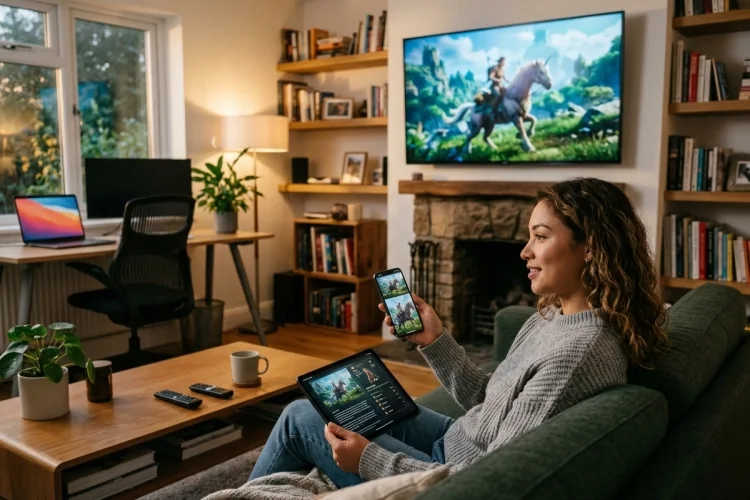
Entertainment sessions no longer stay politely inside one screen. Someone might discover a show on a phone during lunch, continue it on a television at night, and check bonus content from a tablet before bed.
Games follow a similar pattern across consoles, PCs, handhelds, and mobile devices. Understanding How Device Switching affects session design means thinking beyond responsive layouts.
Users increasingly expect their progress, identity, context, and intentions to follow them. The difficult part is not opening the same service elsewhere. It is making the second device feel like a natural continuation of the first.
Device Switching Is Really a Continuity Problem
Traditional application design often assumes a session begins when an app opens and ends when it closes. Cross-device entertainment makes that model less useful.
A session may temporarily stop on one device while continuing elsewhere. The important unit is therefore the user’s activity rather than the lifetime of a particular application window.
Apple’s Handoff architecture follows this idea by representing what a user is currently doing as an activity that can be transferred between supported devices.
Microsoft also describes cross-device resume experiences around publishing enough activity context for people to continue a task elsewhere.
For entertainment products, that activity might mean watching episode four at 23:18, editing an avatar, browsing a particular game store category, or standing at a certain campaign checkpoint.
The more accurately the system understands the user’s real activity, the smoother the transition feels.
Preserve the Point in the Experience, Not Just the Content
Knowing which movie, game, or podcast the user opened is only the beginning.
A useful handoff may need to preserve playback position, subtitle preferences, selected audio track, current chapter, difficulty settings, recently opened menus, party status, or another meaningful state.
Google’s multidevice guidance gives a simple example: someone can begin reading on a phone and finish on a tablet without losing their place. Its cross-device design guidance similarly emphasizes restoring a near-equivalent state when moving between devices.
Entertainment systems should adopt the same mindset.
Opening the correct movie but restarting it from the beginning is technically a successful launch and a terrible handoff.
Developers should identify the smallest set of data required to recreate the user’s meaningful position. Storing every temporary interface detail can become unnecessarily complicated, while storing too little creates friction.
Separate Session State Into Useful Layers
A strong cross-device architecture does not treat all state equally.
Some information belongs to the account, such as purchased content, achievements, watch history, or parental settings. Other information belongs to the current session, such as playback position or an active multiplayer lobby.
There may also be device-local information.
A television might use surround sound while a phone uses headphones. A console could use a controller layout that makes no sense on a touchscreen.
This creates three practical layers:
Account state → Session state → Device-specific state
The distinction prevents developers from synchronizing values that should remain local.
For example, synchronizing a user’s story progress makes sense. Forcing their television’s interface scale onto a phone probably does not.
Keeping these layers seperately defined also makes debugging much easier when continuity problems appear.
Rebuild the Experience for the Receiving Screen
Continuity does not mean cloning the exact interface.
A ten-foot television interface, touchscreen phone UI, desktop setup, and handheld gaming interface have different viewing distances, input methods, aspect ratios, and attention patterns.
Android’s current large-screen guidance encourages adaptive experiences across window sizes while preserving application state through configuration changes.
The same idea should guide device switching.
Suppose someone pauses a streaming service on their phone while viewing an episode detail page. When they continue on a television, the television might prioritize the large Play button and episode art instead of reproducing every mobile navigation element.
The activity remains consistant even when presentation changes.
Good cross-device design preserves intent while adapting execution.
Keep Identity and Progress Synchronized
Nothing breaks continuity faster than discovering that another device does not know who you are.
Authentication should therefore be considered part of session design rather than an unrelated account feature.
Google’s multidevice toolkit specifically discusses reducing friction around sign-in across devices, while its Block Store technology is designed to help users re-authenticate when setting up additional devices.
Games face a related challenge with progression.
Microsoft’s Game Saves system keeps save data locally and synchronizes it to cloud storage, allowing users to continue progress on supported devices after signing in.
Xbox Play Anywhere uses the model to support shared progression across Xbox consoles, Windows PCs, and supported handheld experiences.
The important lesson is simple: identity and progress should arrive together.
A seamless login followed by an outdated save file is still a broken session.
Design for Offline States and Sync Conflicts
Real-world switching is messy.
A player might complete a mission on a handheld while offline, then launch the game on a connected PC where an older cloud save is already available.
Which version wins?
Blindly choosing the newest server timestamp can sometimes destroy legitimate progress. More mature systems consider save generations, timestamps, device history, and whether conflicting states can be reconciled.
Microsoft’s Game Saves documentation emphasizes synchronized local and cloud data as part of supporting roaming progression between devices.
Entertainment apps should also handle interrupted handoffs gracefully.
If a connection disappears during transfer, the receiving device should not open an empty or corrupted session. Fall back to the most recent valid state and clearly communicate what happened.
Perfect connectivity is an unrealistic design assumption.
Resilience is part of good continuity.
Measure Whether Switching Actually Feels Seamless
Cross-device success should not be measured only by whether a transfer technically completed.
Teams can track how long users take to resume playback, how many abandon the process, whether they manually search for content after switching, and how frequently state conflicts occur.
A useful metric might be time to meaningful continuation.
If a user stops on a tablet and begins watching on a television, measure the time between choosing to switch and reaching the correct playback position.
Another useful signal is unnecessary repetition.
If users repeatedly reopen menus, search for the same title, or manually find their previous checkpoint, the continuity model probably failed even though the software never crashed.
The best handoff often feels uneventful.
The user simply continues.
Understanding How Device Switching changes entertainment design requires treating sessions as portable experiences rather than device-bound events.
Preserve meaningful state, separate global and local settings, adapt interfaces to each screen, and prepare for imperfect connectivity.
When continuity works well, users barely notice the technology behind it. Audit your current entertainment flow and identify every moment where switching devices forces users to start thinking again.